

You know reviews matter. Every marketing expert says so. Every article about growing your service-based business mentions them. And yet, for most solo business owners, collecting reviews is something that happens occasionally — when you remember, when the timing feels right, when you work up the nerve to ask.
That’s not a system. That’s hoping. And hope is not a marketing strategy.
The good news? You can build a review request process that runs automatically, reaches only the clients who loved working with you, and requires zero effort once it’s set up.
Why Most Review Strategies Fail
Most review request strategies make one critical mistake: they ask everyone. But not every client is primed to leave a glowing five-star review. A client who had a frustrating experience — even a minor one — isn’t someone you want directing traffic to your Google profile.
Asking that client to leave a public review isn’t just ineffective. It’s a risk you don’t need to take.
The better approach is to ask for feedback privately first, route the happy clients toward a public review, and give yourself the chance to address anything that fell short before it goes public.
How the System Works
The concept is simple: instead of asking every client for a review, you ask every client for feedback. Then you let their response determine what happens next — automatically. If you’re still handling tasks like this manually, you may have already outgrown your spreadsheets.
Here’s the framework, step by step.
Step 1: Create a Feedback Questionnaire
Start with a short questionnaire that asks one key question: How would you rate your experience working with us? Keep it simple — a star rating or a “Choose from a List” format works perfectly. Five Stars, Four Stars, Three Stars, and so on.
The goal is to capture honest feedback before anything goes public.
Step 2: Tag Each Response
This is the key step. When a client selects “Five Stars,” their project gets tagged automatically with a “fivestars” tag. Four Stars gets a “fourstars” tag, and so on down the list.
With a CRM like 17hats, this tagging happens automatically within your questionnaire responses — no manual sorting required.
Step 3: Build a Simple Review Request Workflow
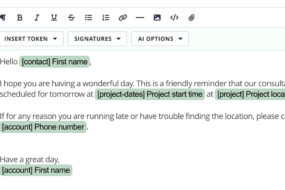
Create a one-step workflow: an email thanking the client for their kind words and including a direct link to wherever you collect reviews — Google, Facebook, Yelp, or a directory specific to your industry. This is the kind of repetitive task that automation was built to fix.
Keep the email warm, genuine, and short. The client already told you they had a great experience. You’re simply making it easy for them to share that publicly.
Step 4: Automate It
Connect the workflow to trigger automatically when a project is tagged with “fourstars” or “fivestars.” Now, whenever a project receives one of those tags, the review request email sends itself — without you touching a thing. For a deeper look at how automation keeps your client experience seamless, check out the solopreneur’s guide to automating the boring stuff.
Clients who rated you three stars or below? Their tags are captured too. You can follow up personally, address the concern, and turn a mixed experience into a stronger relationship. But they will never receive an automated review request.
The Result
Your review count grows steadily and organically. The clients who loved your work are the ones you’re asking. The ones who didn’t get personal attention instead of a generic ask. And the whole process runs on its own.
Frequently Asked Questions
How soon after a project should I send a feedback questionnaire?
Send it while the experience is still fresh — ideally within a few days of project completion. The longer you wait, the less likely a client is to respond at all.
What if a client gives me a low rating?
That’s actually valuable information. Reach out personally, acknowledge their experience, and see if there’s something you can do. Many client relationships have been strengthened by a thoughtful follow-up after negative feedback.
Do I need to use a specific review platform?
No. Include links to whichever platforms matter most for your industry. Google is a strong default since it directly impacts local search visibility, but Facebook, Yelp, and industry-specific directories all have value.
Will automated review requests feel impersonal?
Not if you write the email in your own voice. Use the client’s first name, keep the tone conversational, and make it feel like a personal note — not a mass email. The automation handles the timing and delivery; the words should still sound like you.
What’s the difference between this and just asking every client for a review?
Filtering first protects your online reputation. You’re only directing happy clients to public review sites, while giving yourself a chance to address issues privately. It’s a smarter, lower-risk approach to building social proof. See how other solo business owners are simplifying their entire client journey with this kind of thinking.
Build This System Today — No Credit Card Required
With 17hats, you can set up automated feedback questionnaires, project tagging, and workflow triggers in one place. The Start/Stop Workflow Automation feature makes the entire process hands-free once it’s built.
Start your free trial today — no credit card required.
Latest Posts

Inside October’s Journey: From First Inquiry to Paid Invoice
October 15, 2026
How Business Consultants Protect Their Expertise With 17hats
October 9, 2026
Treat Your Collaboration Partners Like Clients
October 6, 2026