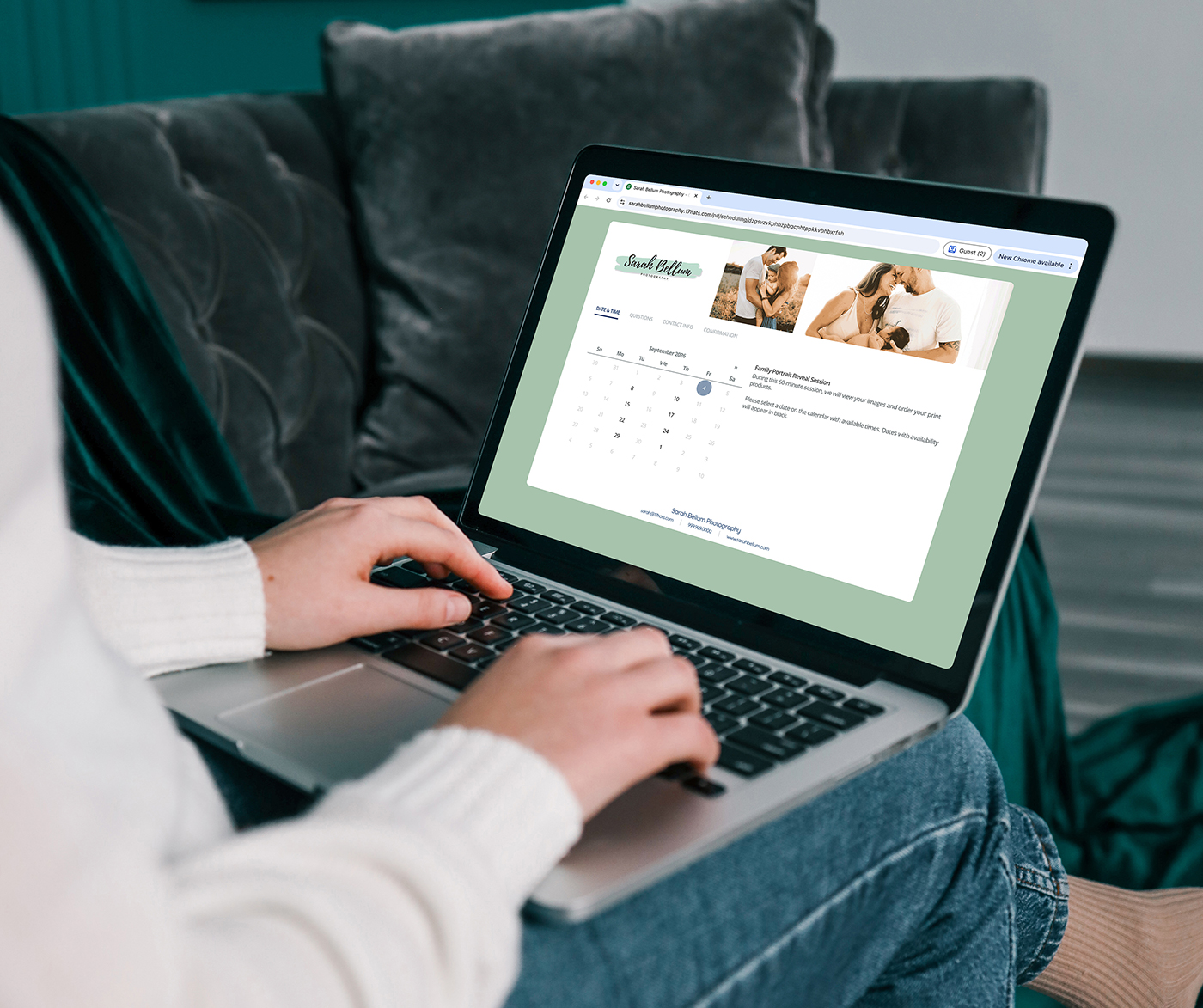

Your brand isn’t just your logo and your website. It’s every touchpoint a client has with your business — including the forms they fill out, the emails they receive, and the documents they sign.
If you’re using a CRM to manage your business, that CRM is part of your brand whether you’ve customized it or not. The question is whether it feels like your business or like a generic software tool.
17hats Ambassador Nicole Larson put together a dozen practical CRM branding tips to infuse your brand into your 17hats account — and most of them take just a few minutes.
The Customizations
1. Background: Set the Tone for Success
Start by changing the background of your 17hats dashboard. It’s an internal detail your clients won’t see, but it creates an inspiring environment for you every time you log in. A small tweak that sets the tone for how you show up in your business.
2. Subdomain: Make Your Links Recognizable
Replace the default account number in your lead capture form and scheduler links with your business name. When a potential client sees your branded subdomain, it builds recognition and trust before they even click.
3. Timezone: Get the Details Right
This one isn’t technically a branding move, but it matters for consistency — especially if you offer online scheduling. An accurate timezone setting keeps your calendar correct and prevents clients from getting surprised by automated reminders.
4. Logo: The Face of Your Documents
Upload your logo at the recommended size so it appears clean and professional on every document header. Quotes, contracts, invoices — each one is an opportunity to reinforce your brand.
5. Favicon: A Tiny Mark with Big Impact
Your favicon — the small image that appears in browser tabs — shows up when clients visit your forms or scheduling pages. It’s a subtle detail, but it contributes to brand consistency and recognition.
6. Header Images: Tailor Your Documents
Beyond your logo, you can add dedicated header images to your documents, online scheduler, and lead capture forms. Consider adding your tagline or pictures of your products for an extra layer of brand personality.
7. Colors: Flow with Your Website
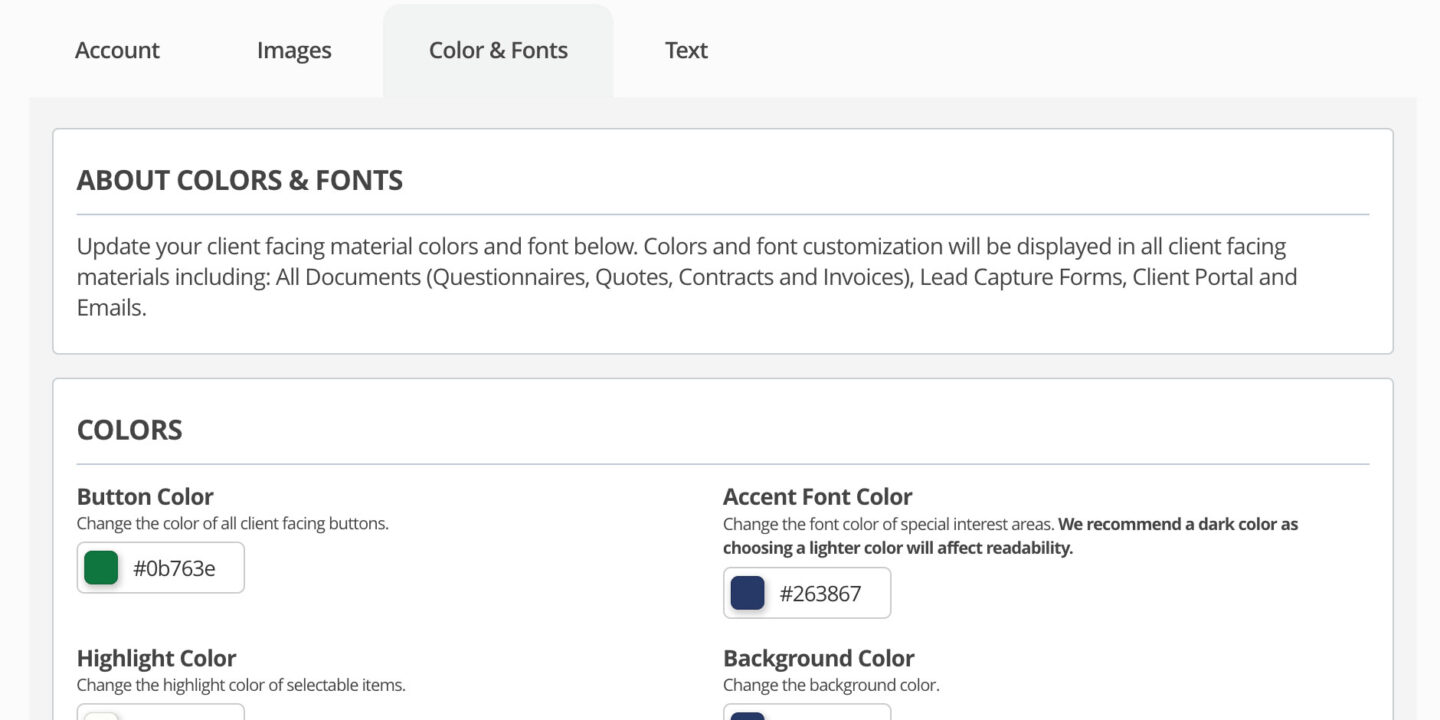
Match your button colors, font colors, and background colors to your website. When a client clicks from your site to a 17hats form, the visual transition should feel seamless — not jarring.
8. Fonts: Style Your Text
Choose accent fonts and button fonts that represent your brand personality. Just remember that readability comes first — you never want your font choice to be the thing that prevents someone from getting in touch with you.
9. Text: Stand Out with Your Words
Change the default text on your form buttons and documents. Instead of “Submit,” an event services business might use “Start My Party.” Instead of “Contract,” maybe you prefer “Agreement” or “Proposal.” Small language choices that make your business feel intentional.
10. Signature: Personalize Your Emails
Create two email signatures — one for regular client communication that includes your website, social handles, and logo, and another for document templates where the signature appears above a button. Both reinforce your brand in every message. If you’re still copy-pasting the same emails over and over, this is one of the first things to set up.
11. Global Invoice Settings
Add your website, email address, tagline, and social handles to your invoice footer. Every financial document becomes another opportunity to deliver a cohesive client experience.
12. Client Portal: A Warm Welcome
If your subscription includes a client portal, customize the welcome message, cover image, logo, and more. This is where repeat and recurring customers come to see all the projects you’ve worked on together — make it feel like home. See how one celebrant transformed her entire client journey with this kind of attention to detail.
Why This Matters
These aren’t just cosmetic changes. Every one of these touchpoints shapes how clients perceive your business. When your forms, emails, documents, and scheduling pages all feel like they’re coming from the same professional, cohesive brand, clients notice. They may not be able to name exactly what feels right — but they feel the confidence and care behind it.
And that feeling is what builds trust, earns referrals, and keeps clients coming back.
Frequently Asked Questions
How long does it take to customize all 12 of these settings?
Most of these changes take two to five minutes each. You could complete all 12 in a single focused hour. Start with the ones your clients interact with most — logo, colors, and email signatures — and work through the rest over time.
Will my existing documents update when I change my branding settings?
Global settings like colors, fonts, and logos will apply to new documents going forward. Existing documents you’ve already sent won’t retroactively change, so this is a great time to update your templates as well.
Do I need a designer to create these branding elements?
Not at all. If you already have a logo, brand colors, and fonts you use on your website, you can apply those same elements yourself. The goal is consistency, not complexity. If you’re still running your business on spreadsheets and disconnected tools, branding your CRM is a great first step toward a more professional client experience.
What if I’m still figuring out my brand?
Start with the basics — your business name, one or two colors, and a clean logo. You can always refine later. Consistent use of even simple branding elements makes a bigger impression than waiting for everything to be perfect.
Nicole Larson is a 17hats Ambassador and branding enthusiast who helps service-based business owners create cohesive client experiences.
Try These Customizations Today — No Credit Card Required
Every one of these branding touches is available inside 17hats. See how your client experience transforms when every touchpoint feels like you.
Start your free trial today — no credit card required.
Latest Posts

Inside October’s Journey: From First Inquiry to Paid Invoice
October 15, 2026
How Business Consultants Protect Their Expertise With 17hats
October 9, 2026
Treat Your Collaboration Partners Like Clients
October 6, 2026